shape
shape
One board, every feature
Shape's own board, built in public, in one file: example.shape. The top board is how Shape is built;
canvases inside it hold what beta testers told us, the roadmap, the data model and real numbers from the repo. Open it in the
playground to click through the canvases, or in your terminal with shape example.shape.
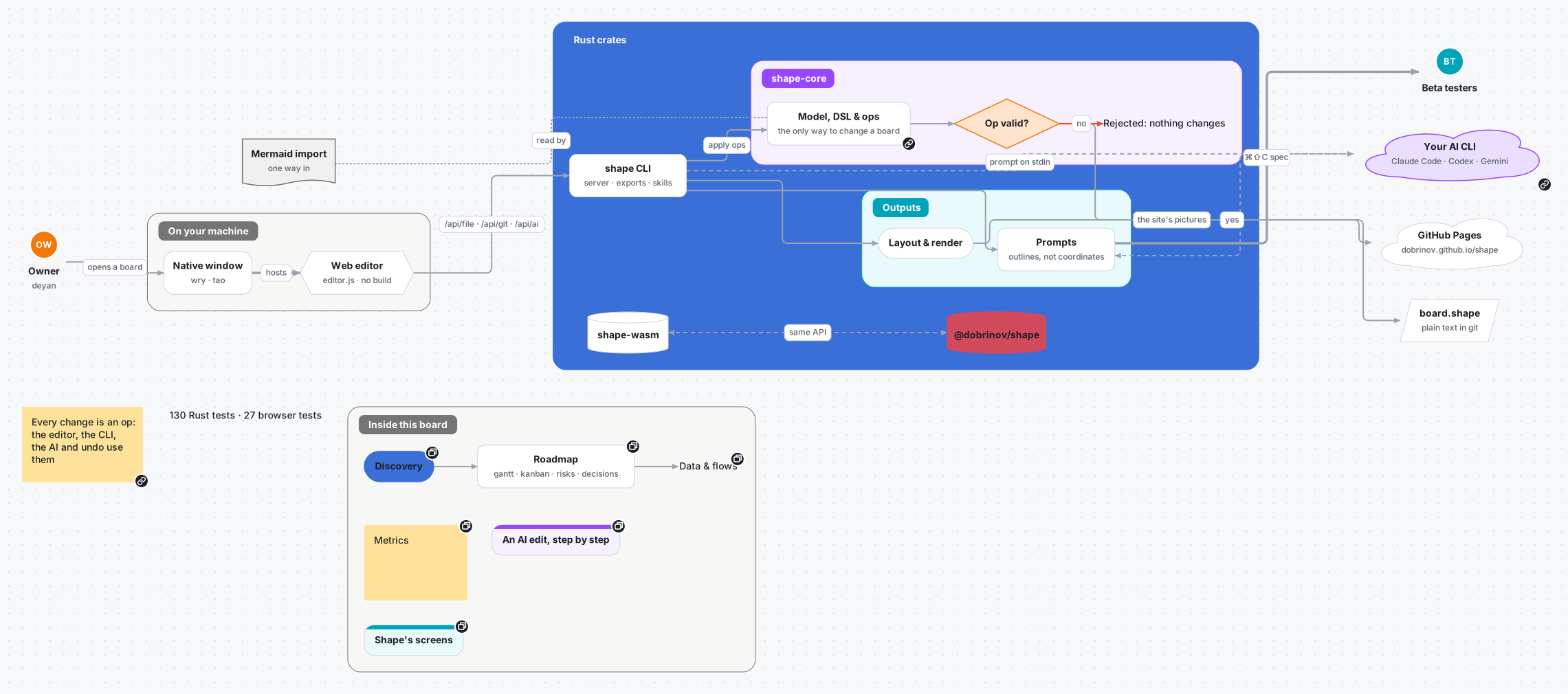
How Shape is built
The Rust core, the CLI, the web editor and your own AI, drawn with all thirteen shapes, colours, details, tags, web and in-board links, nested sections, every kind of arrow, review comments with replies, and a theme of its own. The Inside this board section holds the links into the canvases — a button, a card, a text link and a sticky.
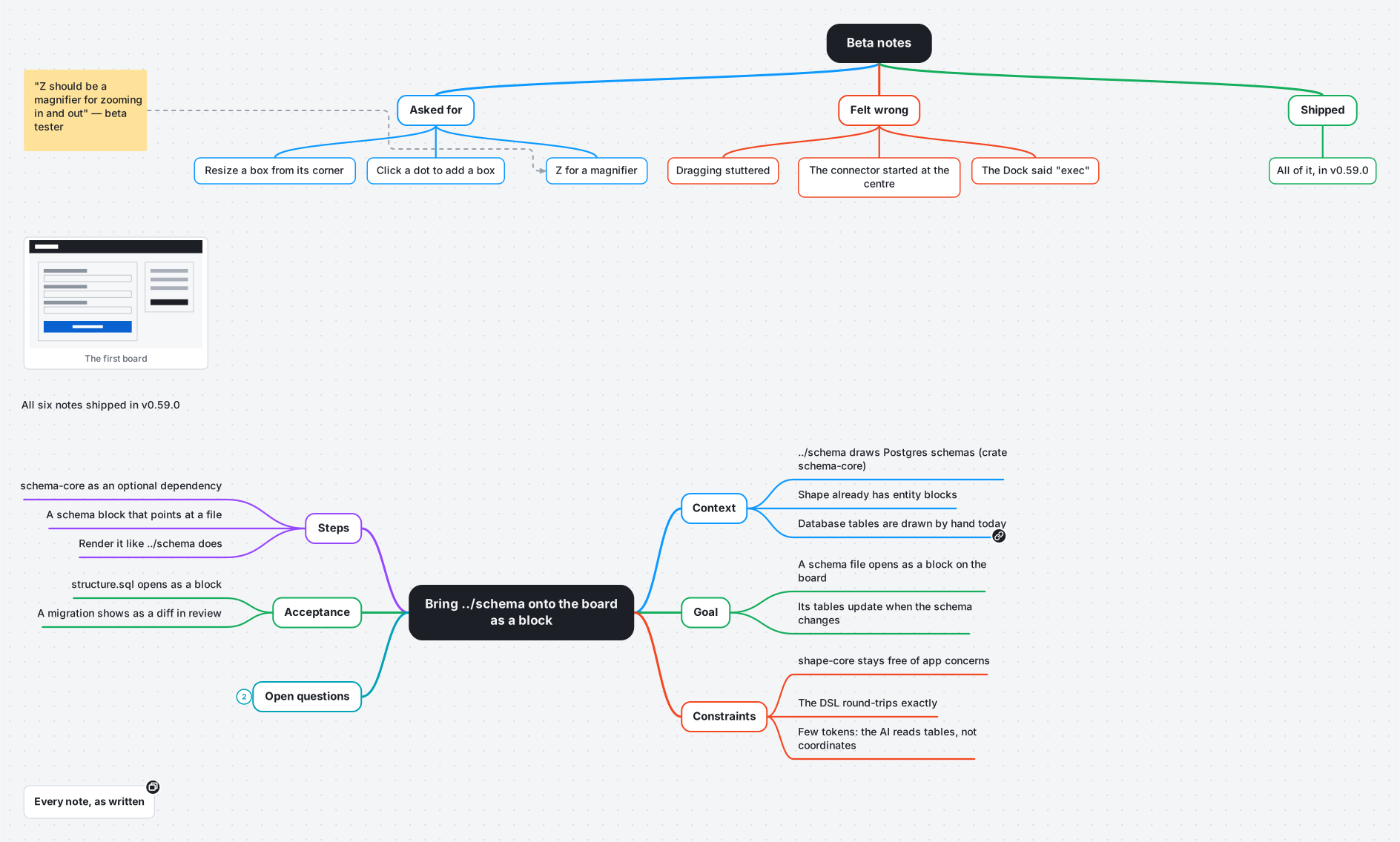
Discovery
The next task, bringing the schema tool onto the board, written as a prompt mindmap (Context, Goal, Constraints, Steps, Acceptance — "Copy as prompt" turns it into Markdown for a coding agent); a beta tester's notes as a top-down mindmap; a pasted image; and a canvas of the notes as written inside this canvas.
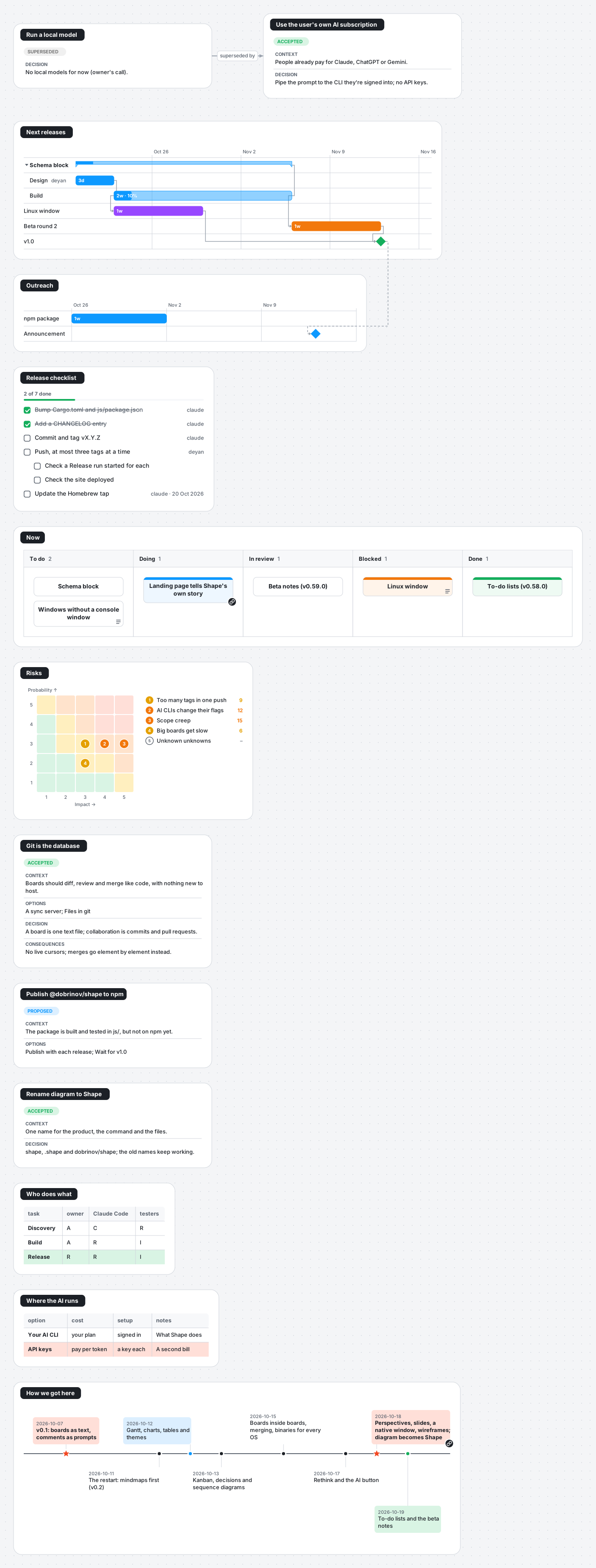
Roadmap
What's next as two gantt charts (one waits for the other's milestone), the work in progress as a kanban board, the release checklist as a to-do list, the real risks, the decisions behind Shape (git as the database, your own AI subscription, the rename), tables, and a timeline of how it got here.
Data & flows
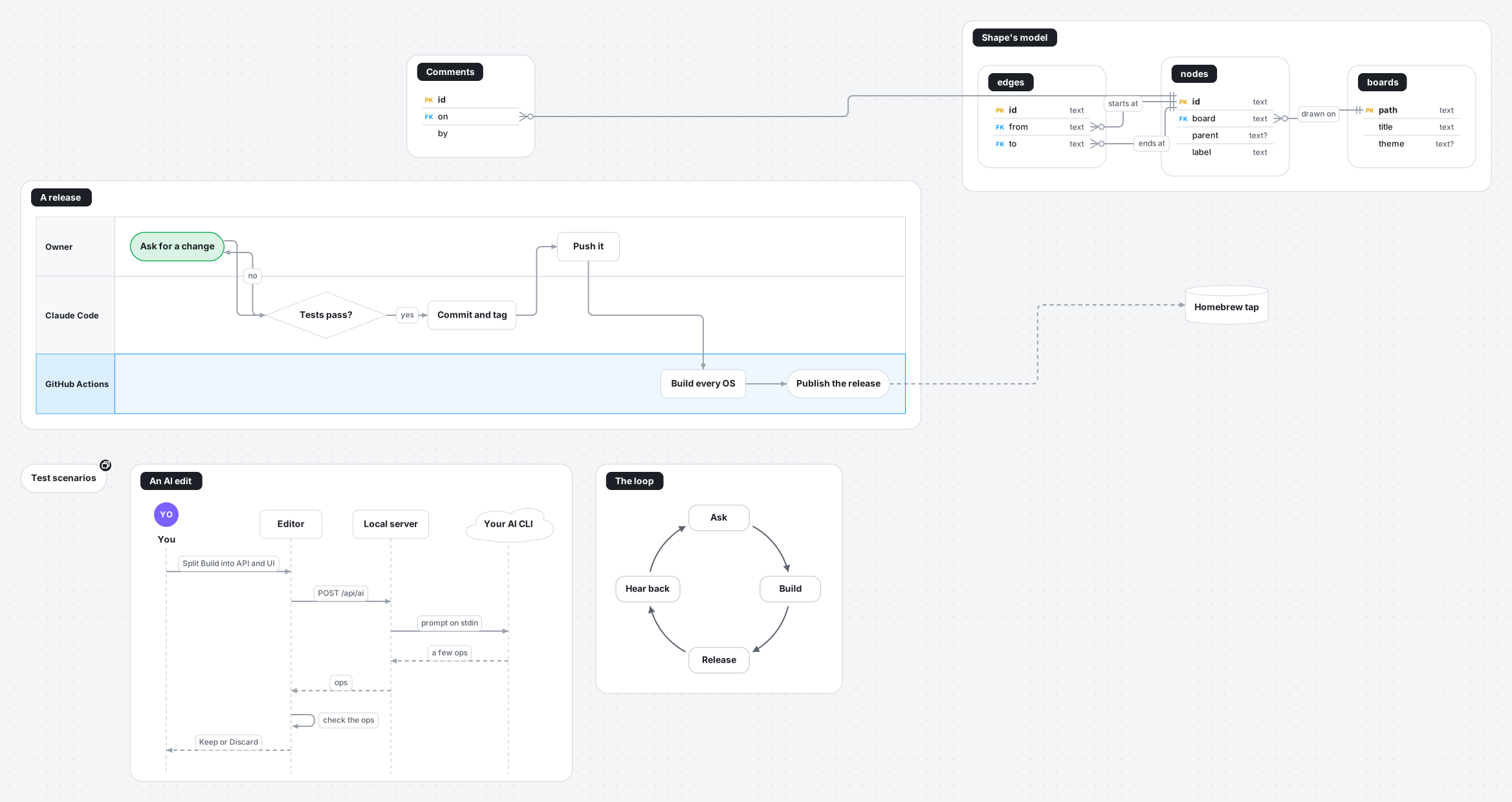
Shape's own model as an ER diagram with crow's-foot cardinality and named relationships, an AI edit as a sequence diagram, a release in swimlanes, and the build loop as a cycle.
Metrics
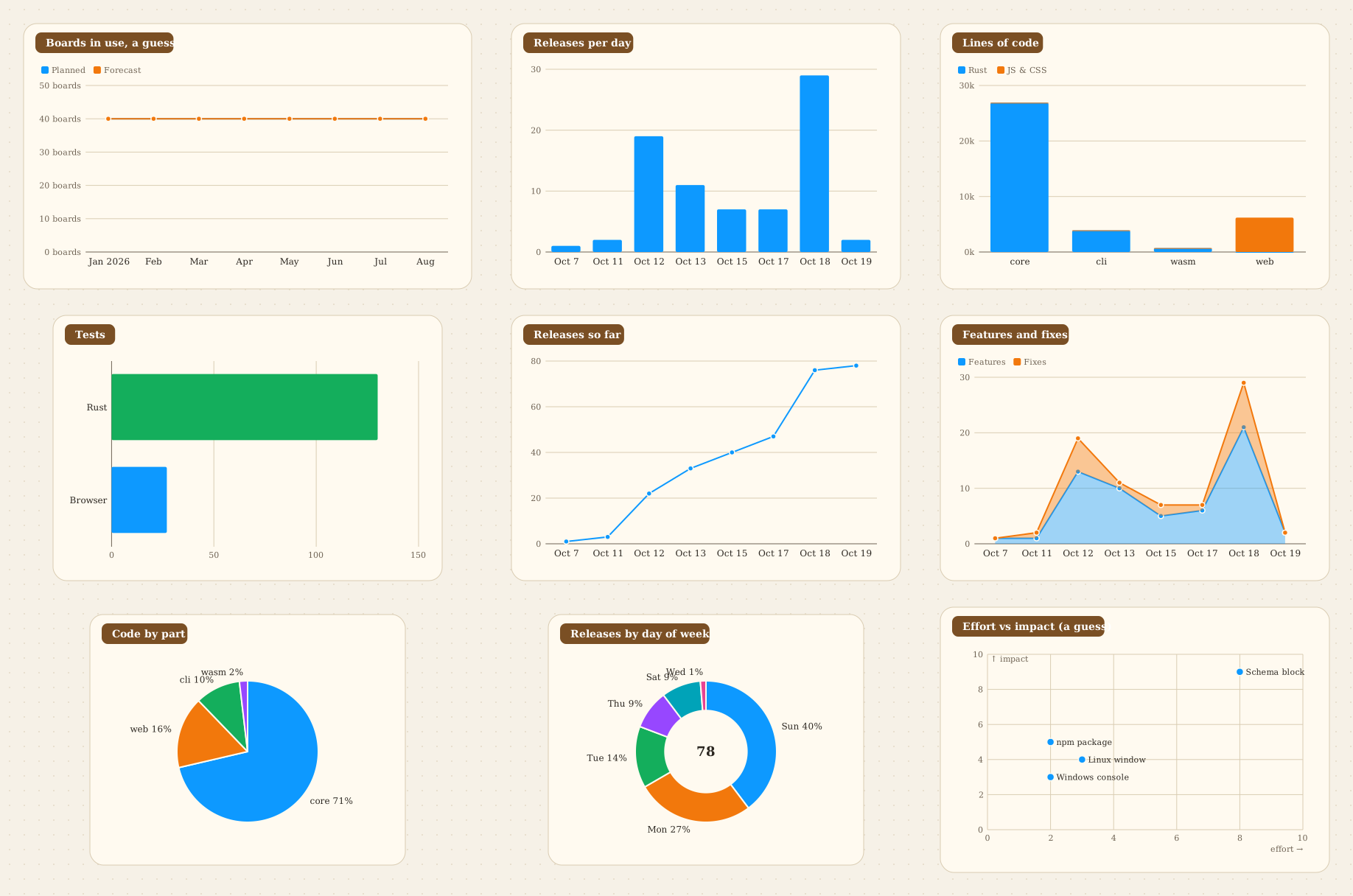
Every chart type — bars, stacked and horizontal bars, lines, areas, pie, donut and scatter — drawn from small tables of real numbers from the repo (releases, lines of code, tests), on the paper theme.
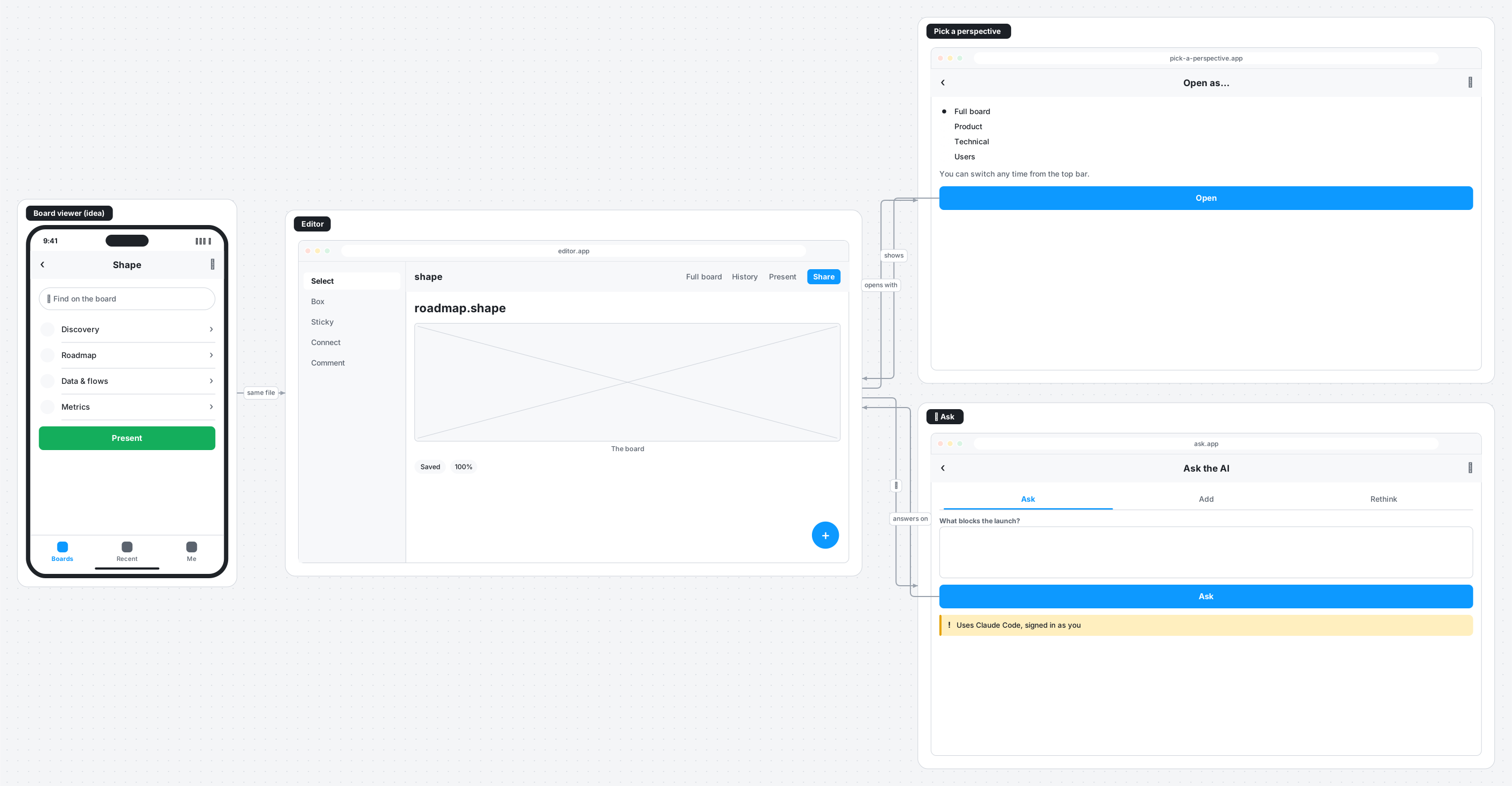
Shape's screens
Wireframes of Shape itself: the editor, the perspective picker and the ✦ Ask panel, plus a phone viewer that is only an idea, each a few lines of text, with the flow drawn from the buttons.